> For the complete documentation index, see [llms.txt](https://docs.hablla.com/llms.txt). Markdown versions of documentation pages are available by appending `.md` to page URLs; this page is available as [Markdown](https://docs.hablla.com/hablla-docs-en/reports/hablla-reports-and-logs/people-by-tag.md).
# People by tag
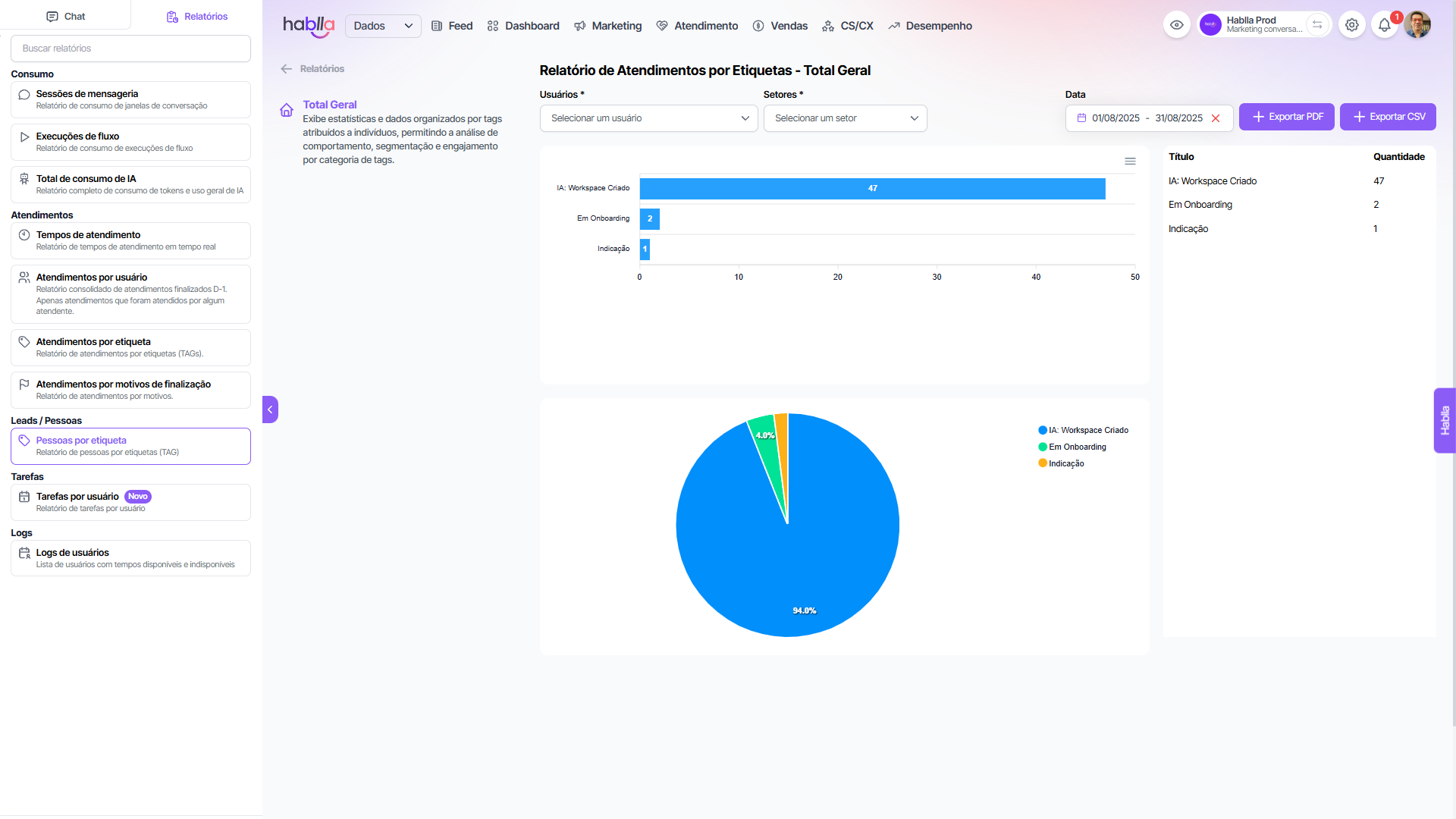
Report of people by tags (TAG)
#### People by Tag
The report of **People by Tag** allows segmenting leads, customers and contacts based on the **tags applied during the journey**, making behavioral analysis and the prioritization of engagement strategies easier.
Main features and benefits:
* **Advanced segmentation**: enables grouping people by status such as *AI: Workspace Created*, *In Onboarding*, *Referral*, among others, creating strategic follow-up clusters.
* **Customer journey management**: each tag reflects a stage of the lifecycle (e.g.: onboarding, referral, lead qualification), allowing monitoring where the largest volumes of customers and opportunities are.
* **Prioritization of efforts**: by understanding which groups have greater representativeness, teams can allocate service, sales and customer success resources more intelligently.
* **Insights for growth**: tags like “Referral” create room to measure the impact of referral programs, while “Onboarding” highlights bottlenecks or advances in implementation.
* **Campaign personalization**: by crossing tags with consumption and support data, it is possible to create ultra-targeted campaigns aligned with each group's context.
This report is key to applying the **8Cs of Conversational Marketing** in practice, ensuring **convenience, consistency and trust** in every interaction.
---
# Agent Instructions
This documentation is published with GitBook. GitBook is the documentation platform designed so that both humans and AI agents can read, navigate, and reason over technical content effectively. Learn more at gitbook.com.
## Querying This Documentation
If you need additional information that is not directly available in this page, you can query the documentation dynamically by asking a question.
Perform an HTTP GET request on the current page URL with the `ask` query parameter, and the optional `goal` query parameter:
```
GET https://docs.hablla.com/hablla-docs-en/reports/hablla-reports-and-logs/people-by-tag.md?ask=&goal=
```
`ask` is the immediate question: it should be specific, self-contained, and written in natural language.
`goal` is optional and describes the broader end goal you are ultimately trying to accomplish on behalf of the user. GitBook uses it to tailor the answer towards what is most useful for that goal.
The response will contain a direct answer to the question and relevant excerpts and sources from the documentation.
Use this mechanism when the answer is not explicitly present in the current page, you need clarification or additional context, or you want to retrieve related documentation sections.