# Mass Dispatch
The **Mass sending** of Hablla allows automating communications at scale, sending **personalized messages**, triggering **smart flows** and reaching your audience on the right channels — all in one place.
With this functionality, it is possible to send:
* **WhatsApp Templates**: standardized messages approved by WhatsApp, ideal for campaigns and strategic communications.
* **Automation flows**: execution of automations at large scale from a contact base (e.g.: spreadsheets).
### 1. Creating a new send
To start a mass send:
1. Go to the menu **Marketing > Mass sending**.
2. Click on **New send**.
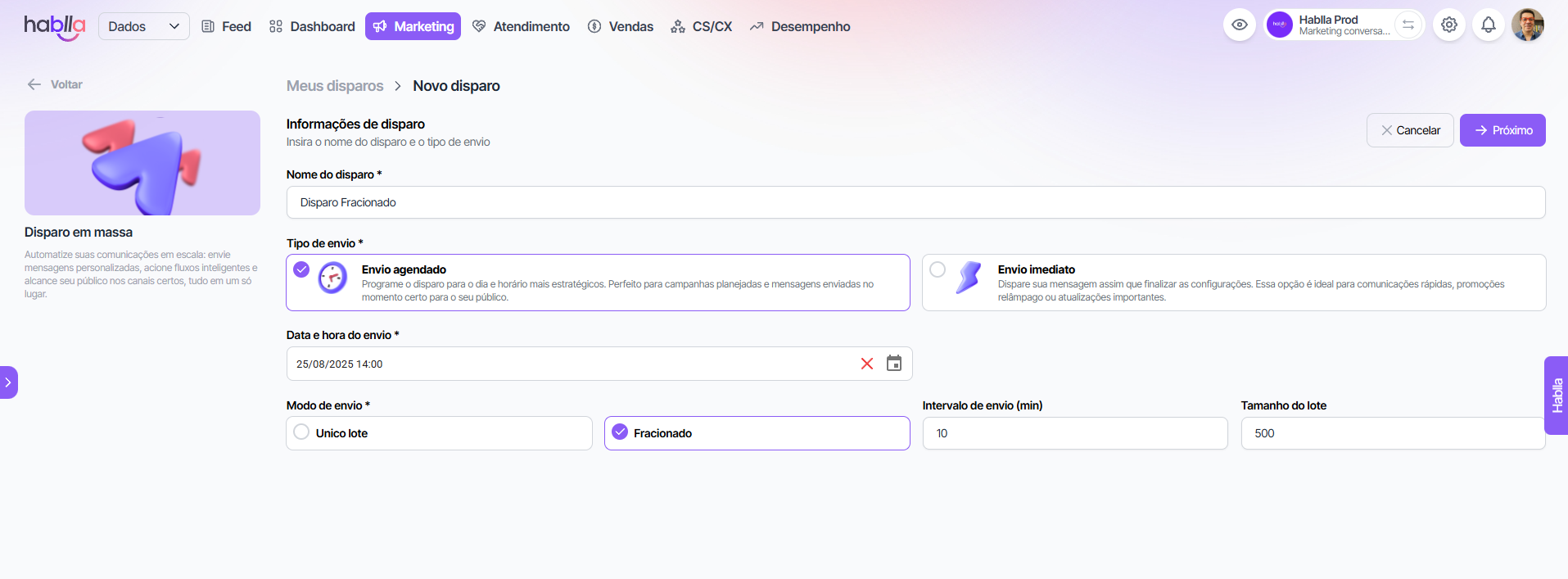
3. Fill in the initial information:
* **Send name**: set an internal title for identification.
* **Send type**: choose between **Immediate send** or **Scheduled send**.
* **Sending mode**:
* **Single batch**: sends to all contacts at once.
* **Staggered**: divides into configurable batches, setting **interval (minutes)** and **quantity per batch**.
📌 *Staggered sending is ideal to mitigate channel blocks and keep deliverability high.*
### 2. Selecting the sending channel
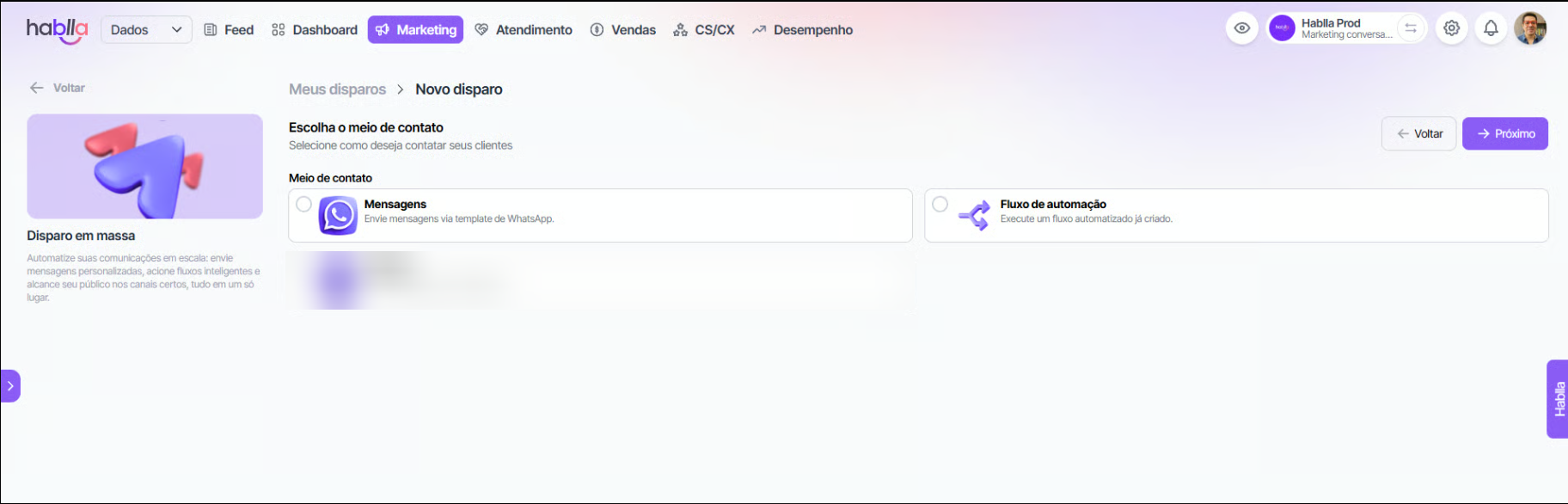
In the next step, choose the channel:
* **Messages (WhatsApp)** → use **official templates** and customize variables (such as name, company, agent etc.).
* **Automation flow** → run customized automations for each imported or segmented contact.
### 3. Selecting the audience
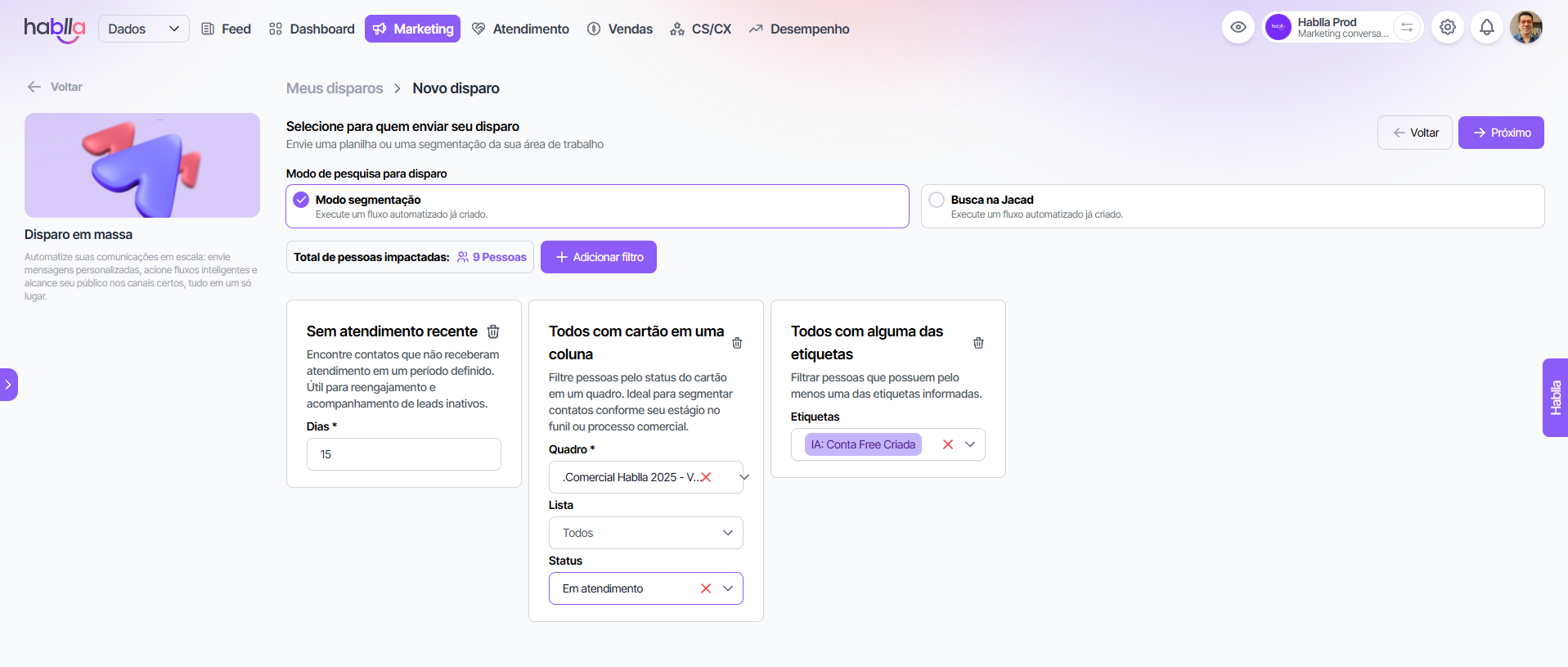
You can define recipients in two ways:
* **Spreadsheet**
* Import a file **.xlsx** with the contacts.
* Each row runs a flow (in the case of the automation channel) or receives a message (in WhatsApp/Webchat).
* **Segmentation filters**
* Apply rules to select the target audience.
* Examples of available filters:
#### People
* Did not convert on the event
* Converted on the event
* All in a segment
* Everyone not in a segment
* Everyone with all tags
* Everyone with any of the tags
* Everyone without all the tags
* Everyone without any of the tags
* Created within a specific period
#### Tickets
* No recent service
* That has service by status and department
* That does not have service by status and department
* Everyone with all tags
* Everyone with any of the tags
* Everyone without all the tags
* Everyone without any of the tags
* Created within a specific period
#### Cards (CRM)
* All with a card in a column
* Everyone with all tags
* Everyone with any of the tags
* Everyone without all the tags
* Everyone without any of the tags
* Created within a specific period
* Moved to a specific list
* Left a specific list
### 4. Message configuration
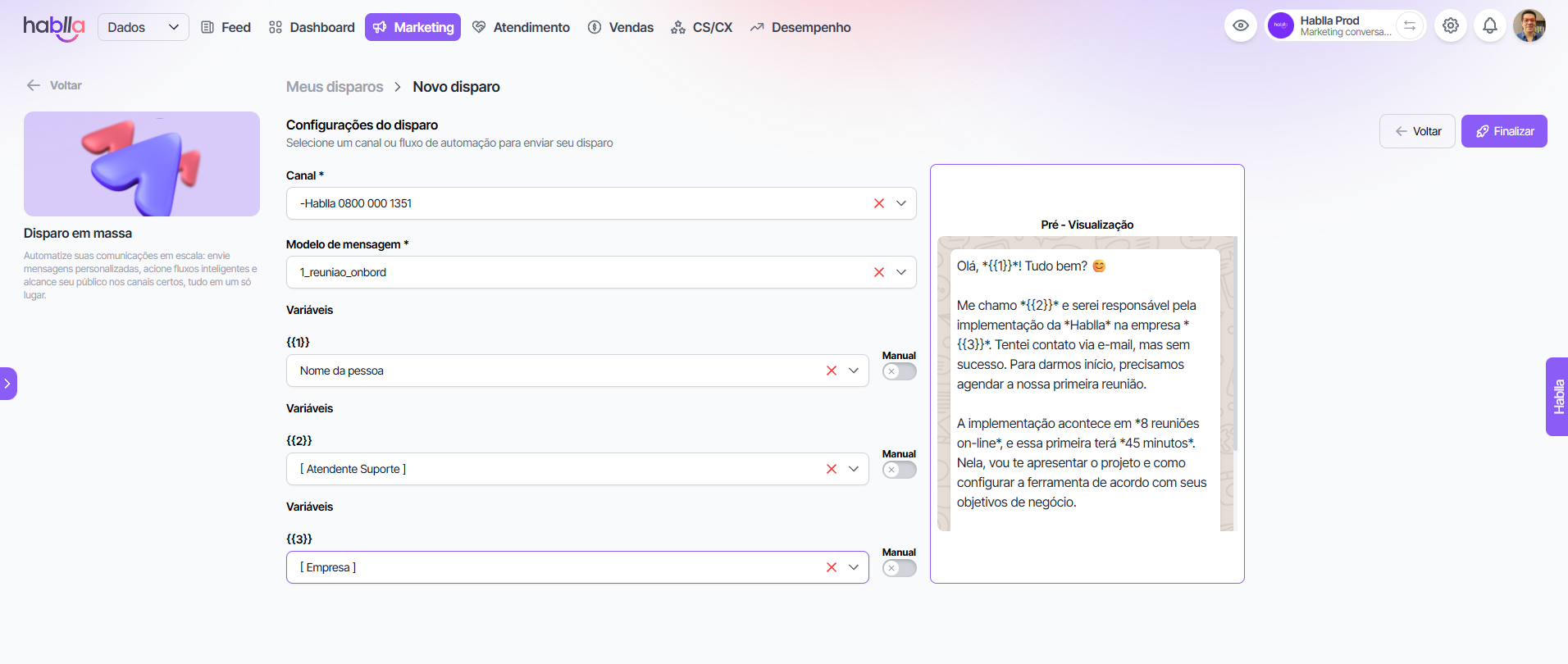
In the message configuration step:
* **Channel**: select the enabled number/channel (e.g.: official WhatsApp).
* **Message template** (WhatsApp): choose the pre-approved template and configure the **dynamic variables**.
* **Preview**: follow in real time how the sent message will look.
📌 Template example:
```
Hello, *{{1}}*! How are you? 😊
I am *{{2}}*, responsible for your implementation at *{{3}}*.
I would like to schedule our first meeting to start the project.
```
***
### 5. Finalizing the send
After reviewing:
1. Click on **Finish**.
2. The send will be executed according to the configured send type (**immediate** or **scheduled**).
3. You can track the results in real time on the performance dashboard.
***
### Benefits of Mass Sending
* **Scalability**: send thousands of messages intelligently.
* **Personalization**: insert dynamic variables to make the communication unique.
* **Advanced segmentation**: use strategic filters to reach the right audience.
* **Security**: avoid blocks with staggered sending and adjustable parameters.
* **Multichannel**: unify messages on WhatsApp, Webchat and Flows.