> For the complete documentation index, see [llms.txt](https://docs.hablla.com/llms.txt). Markdown versions of documentation pages are available by appending `.md` to page URLs; this page is available as [Markdown](https://docs.hablla.com/hablla-docs-en/reports/hablla-reports-and-logs/tasks-by-user.md).
# Tasks by user
Tasks by user report
#### Tasks per User
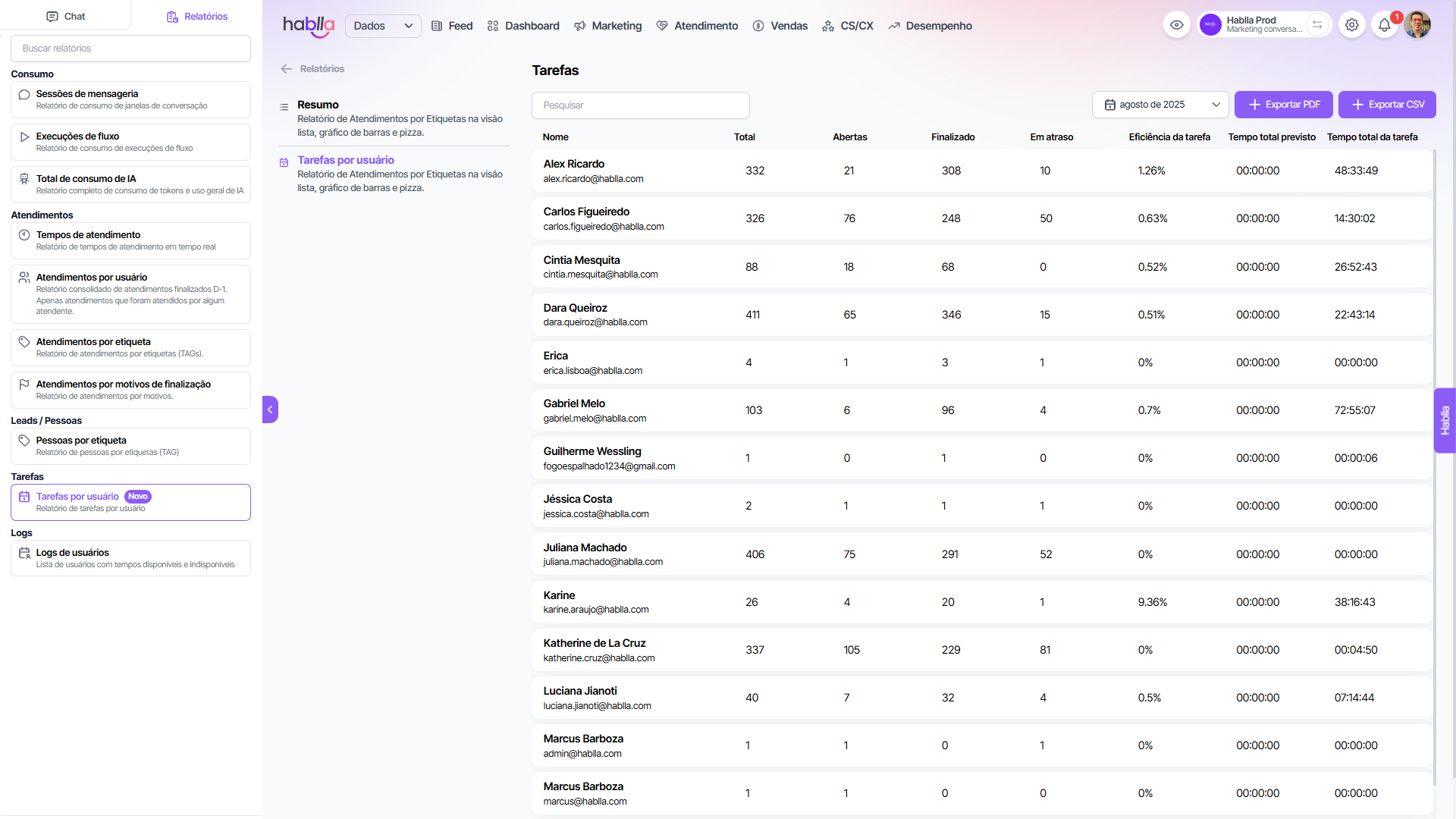
The report of **Tasks per User** offers a detailed view of the distribution, progress and efficiency of tasks assigned to each team member.
Main features and benefits:
* **Individual productivity management**: tracks metrics such as total tasks, open tasks, completed tasks and overdue tasks, allowing identification of bottlenecks and opportunities for improvement.
* **Execution efficiency**: the metric of **task efficiency** allows evaluating the user's performance in meeting deadlines.
* **Time management**: indicators of *total estimated time* versus *total task time* enable SLA analyses and smarter resource allocation.
* **Team view**: by consolidating data per user, the report highlights who is overloaded, who has a higher completion rate and who needs additional support.
* **Data-driven decision making**: managers can redistribute activities, optimize processes and set priorities aligned with team performance.
This report is strategic to strengthen **Consistency and Convenience** within the 8Cs of MCI, ensuring that the workflow is transparent, measurable and scalable.
---
# Agent Instructions
This documentation is published with GitBook. GitBook is the documentation platform designed so that both humans and AI agents can read, navigate, and reason over technical content effectively. Learn more at gitbook.com.
## Querying This Documentation
If you need additional information that is not directly available in this page, you can query the documentation dynamically by asking a question.
Perform an HTTP GET request on the current page URL with the `ask` query parameter, and the optional `goal` query parameter:
```
GET https://docs.hablla.com/hablla-docs-en/reports/hablla-reports-and-logs/tasks-by-user.md?ask=&goal=
```
`ask` is the immediate question: it should be specific, self-contained, and written in natural language.
`goal` is optional and describes the broader end goal you are ultimately trying to accomplish on behalf of the user. GitBook uses it to tailor the answer towards what is most useful for that goal.
The response will contain a direct answer to the question and relevant excerpts and sources from the documentation.
Use this mechanism when the answer is not explicitly present in the current page, you need clarification or additional context, or you want to retrieve related documentation sections.